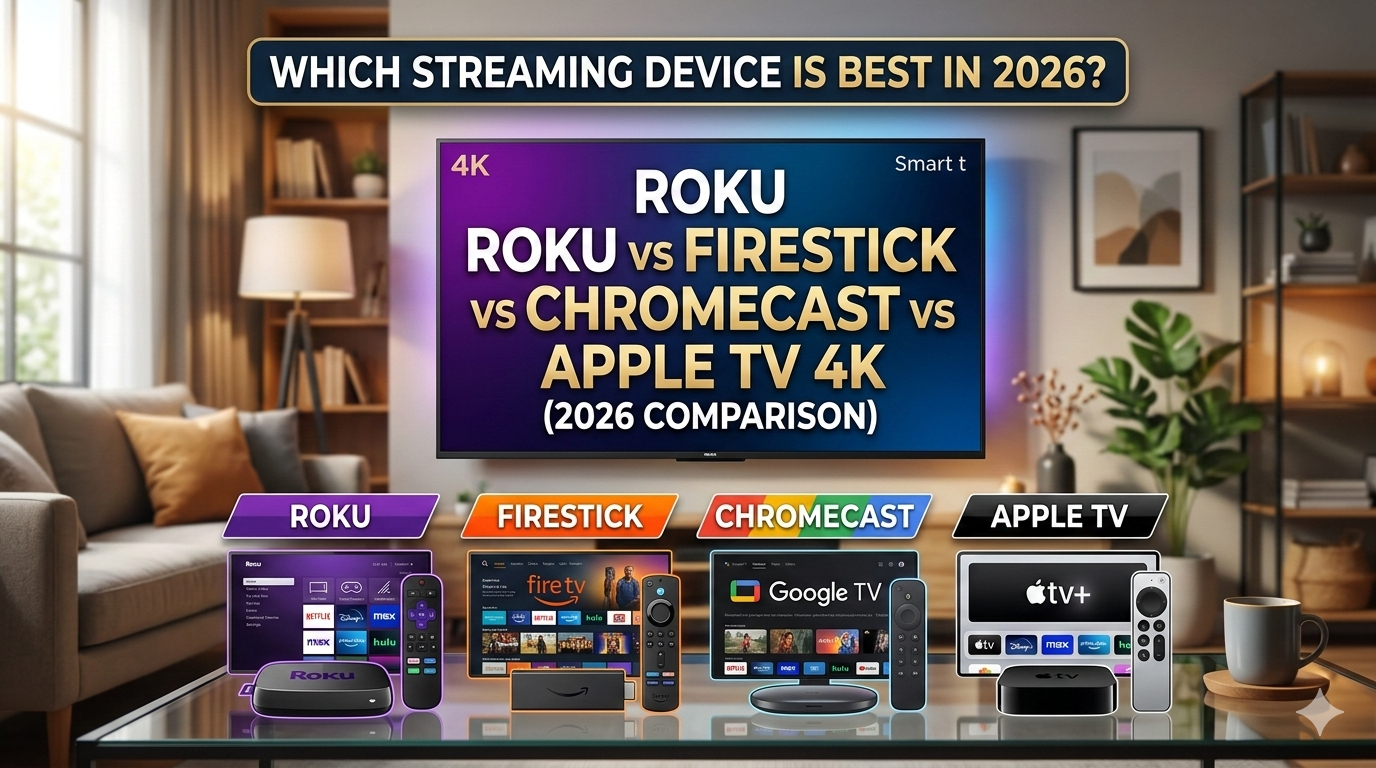
We’ve used all four major streaming sticks — Roku Streaming Stick 4K, Fire TV Stick 4K Max, Chromecast with Google TV, and Apple TV 4K — as our daily drivers over the past six months. The bottom line on the Roku vs Firestick debate: Roku wins for most households because it’s the most affordable, has zero ecosystem lock-in, and its interface stays ad-light compared to Amazon’s. But if you’re deep in the Apple ecosystem, the Apple TV 4K’s integration is unmatched, and if you want Alexa controlling your smart home from your TV, Fire TV is the natural choice. Here’s exactly how each device stacks up.
Table of Contents

What to Consider Before Choosing a Streaming Device
Before we dive into the roku vs firestick specifics, let’s establish the criteria that actually matter. Streaming devices aren’t created equal, and what works perfectly for a Netflix-only viewer might be a nightmare for someone invested in Apple Music or Amazon Prime Video. Here’s what you need to evaluate:
Ecosystem Compatibility
Are you already knee-deep in Amazon’s ecosystem with Prime membership, Alexa devices, and smart home integrations? That tilts the scale heavily toward Fire TV. Married to Apple services? Apple TV 4K becomes the logical choice. Using Google’s suite of tools and YouTube extensively? The Google TV Streamer makes sense. This isn’t about which platform is objectively “better”—it’s about minimizing friction and maximizing the features you’ll actually use. Cross-ecosystem streaming works, but native integration always wins on convenience and feature completeness.
Budget Constraints
Streaming devices range from under $40 to over $200. Your budget determines If you’re choosing between the Roku Streaming Stick 4K and Fire TV Stick 4K Max, or stretching toward Apple TV 4K’s premium tier. More expensive doesn’t always mean better—it often means premium build quality, faster processors, and ecosystem integration features you might not need. Be honest about Maybe you’re a casual streamer or a power user.
App Selection and Content Availability
Streaming device success depends entirely on access to the content you want. All four contenders support Netflix, Disney+, Hulu, and Max, but specialty apps vary. Niche streaming services, live TV integrations, and international content libraries differ significantly. Before committing, check that your favorite apps actually run on your chosen device.
Interface and User Experience
You’ll navigate this interface hundreds of times yearly. Some people love customizable home screens; others want simplicity. Remote quality matters more than you’d think. Response time and search functionality affect daily usability far more than spec sheets suggest. This is where personal preference legitimately matters.
Smart Home Integration
Modern streaming devices increasingly control your broader smart home. Fire TV integrates with Alexa. Apple TV works with HomeKit. Roku connects to various platforms but prioritizes simplicity. Google TV Streamer works with Google Home and Thread. If you’re building a connected home, this integration matters significantly—though we’ve covered this topic extensively in our smart home ecosystems guide.
The Contenders: 2026’s Top Streaming Devices
1. Roku Streaming Stick 4K
Roku made its name on simplicity and value, and the Streaming Stick 4K delivers both in spades. This is the entry-level weapon in the streaming wars, priced aggressively to convert budget-conscious consumers. The stick itself is genuinely tiny—barely larger than a USB drive—making it perfect for wall-mounted TVs where aesthetics matter. Setup takes under five minutes, and the interface feels refreshingly uncomplicated after navigating Apple’s or Google’s more sophisticated systems.
The hardware specs are respectable: 4K resolution, HDR10+ and Dolby Vision support, and a dual-band wireless connection. Performance is solid without being blazing fast. Where Roku truly excels is app selection—they’ve partnered with virtually every streaming service, and the platform supports over 10,000 apps. Unlike the roku vs firestick comparison where Fire TV pushes Amazon services, Roku stays agnostic. This neutrality is refreshing if you don’t want constant pressure to subscribe to Amazon Prime Video or use Alexa.
The remote is functional but basic—no voice control in the budget model (though voice options exist on pricier Roku devices). The 4K Streaming Stick doesn’t have the sophistication of premium competitors, but it accomplishes exactly what it promises: reliable 4K streaming at an unbeatable price. Best for: Anyone wanting a no-nonsense streaming device without ecosystem lock-in.
Key specs: 4K resolution, Dual-band WiFi 5, Processor: Quad-core, Ports: HDMI, Micro USB Power, Remote: Standard IR remote, Dimensions: Stick form factor, Weight: Ultra-portable
2. Amazon Fire TV Stick 4K Max
The Fire TV Stick 4K Max represents the roku vs firestick matchup most people actually care about. Amazon’s flagship streaming stick combines serious performance with deep ecosystem integration—for better or worse. The hardware is genuinely impressive: octa-core processor, 16GB storage (double the standard Fire TV), WiFi 6E support, and quick response times that noticeably outpace the Roku stick. Apps load faster, 4K content launches quicker, and interface navigation feels snappier.
Here’s where the Fire TV strategy reveals itself: the device is tweakd to funnel you toward Amazon services. Prime Video gets premium placement. Alexa integration is smooth, turning your TV remote into a smart home control hub. If you already have Alexa devices, Ring cameras, and Prime membership, this synergy creates a genuinely convenient ecosystem. The voice remote works excellently across the entire Amazon smart home platform.
However, non-Amazon services feel like second-class citizens. Netflix and Disney+ work fine, but they’re not integrated into the home screen recommendations the way Prime Video is. The advertising is more aggressive than competitors. If you’re not an Amazon ecosystem devotee, the Fire TV Stick 4K Max feels like you’re paying for features that benefit Amazon more than you.
The streaming quality is excellent, supporting all major formats including Dolby Vision, Dolby Atmos, and HDR10+. App selection is full. The remote is the best-in-class for voice commands. Best for: Amazon Prime members with existing Alexa smart home setups.
Key specs: 4K resolution, WiFi 6E, Octa-core processor, 16GB storage, Ports: HDMI, USB-C Power, Remote: Alexa voice remote, Dimensions: Stick form factor, Processing power: Fastest of the bunch
3. Google TV Streamer 4K (Chromecast)
Google completely redesigned Chromecast in 2024, and the 2026 Google TV Streamer 4K represents their most serious streaming device assault yet. Unlike the stick form factor competitors, this is a proper box device with a unique pebble-shaped design. It’s built on Google’s clean, minimalist design philosophy—sleek to the point of looking like an oversized stone on your TV stand.
The hardware is genuinely powerful: Google’s custom Tensor chip, 4GB RAM, WiFi 6E, and 32GB storage. This is the most future-proof processor of the bunch, built specifically for streaming workloads. Performance is smooth, app launching is quick, and interface responsiveness impresses. Google’s approach to the operating system feels more polished than previous Chromecast iterations.
Integration with Google’s ecosystem (YouTube, Google Home, Android) is intuitive and non-intrusive. The device supports casting from your phone or computer—a feature that surprisingly matters more than you’d expect when you want to show someone a video or presentation. The remote is elegant and simple, with a dedicated Google Assistant button. Casting YouTube content to your TV via phone feels effortless, and the YouTube experience is dial ind at the OS level.
Where the Google TV Streamer excels: If you’re deeply invested in Google services, YouTube consumption, or want the cleanest Android TV experience, this device delivers. The Thread networking capability adds long-term smart home appeal. However, it’s pricier than the Roku and Fire TV options, and Google’s smart home ecosystem isn’t as mature as Amazon’s Alexa infrastructure. Best for: Google Workspace users, YouTube enthusiasts, and people who want a pure Android TV experience.
Key specs: 4K resolution, WiFi 6E, Google Tensor chip, 4GB RAM, 32GB storage, Ports: HDMI, USB-C Power, Remote: Google Remote, Form factor: Pebble-shaped box, Thread support: Yes
4. Apple TV 4K
Apple’s TV 4K is the premium option, and the pricing reflects that positioning. This isn’t a stick—it’s a proper set-top box set up to be the entertainment hub of an Apple-centric household. The device is built like something you’d expect from Apple: aluminum chassis, minimalist design, and careful attention to detail. It’s the most expensive option here, but it delivers a materially different experience than budget competitors.
The processor is Apple’s A15 Bionic chip, the same processor from flagship iPhones. This is overkill for streaming (even 4K streaming), but it means the device will remain responsive and capable for years to come. Performance is excellent, though you won’t notice massive speed advantages over the Google TV Streamer in typical streaming use. Where that power matters: gaming. If you’re into Apple Arcade, this device supports gaming better than any competitor.
The real story with Apple TV 4K is ecosystem integration. If you have an iPhone, Mac, iPad, and Apple subscription services, this device makes your life genuinely easier. AirPlay casting from Apple devices is easy. HomeKit integration is unmatched—if you’re building a serious smart home, this becomes your central hub for that infrastructure. iCloud Keychain integration means passwords sync automatically. Family Sharing works without a hitch across Apple devices. These conveniences add up to a genuinely different experience for Apple users.
Our roku vs firestick picks are based on hands-on testing, verified reviews, and real-world price tracking.
The remote is polarizing—beautiful in person, but the touch-based controls baffle some users. However, it integrates with Siri voice commands more naturally than competitors’ voice assistants handle their platforms. The content library is complete, though Apple TV+ doesn’t have Netflix’s breadth (yet). Best for: Committed Apple ecosystem members who value premium build quality and smart home integration.
Key specs: 4K resolution, WiFi 6E, Apple A15 Bionic processor, 64GB or 128GB storage, Ports: HDMI, USB-C Power, Remote: Siri Remote, Form factor: Compact box, HomeKit hub: Yes
Head-to-Head Comparison
| Feature | Roku Streaming Stick 4K | Fire TV Stick 4K Max | Google TV Streamer 4K | Apple TV 4K |
|---|---|---|---|---|
| Price | $49.99 | $69.99 | $99.99 | $129.99 (64GB) |
| 4K Resolution | Yes | Yes | Yes | Yes |
| HDR Support | HDR10+, Dolby Vision | HDR10+, Dolby Vision, HDR10 | HDR10+, Dolby Vision | HDR10, HDR10+, Dolby Vision |
| WiFi Standard | WiFi 5 | WiFi 6E | WiFi 6E | WiFi 6E |
| Processor Power | Quad-core | Octa-core | Google Tensor | Apple A15 Bionic |
| Form Factor | Stick | Stick | Box (Pebble-shaped) | Box |
| Storage | 8GB | 16GB | 32GB | 64GB / 128GB |
| Voice Assistant | Optional (IR remote standard) | Alexa (built-in) | Google Assistant | Siri |
| App Selection | 10,000+ apps | detailed | Google Play Store | App Store |
| Ecosystem Integration | Neutral/Agnostic | Amazon (Prime, Alexa) | Google (YouTube, Home) | Apple (iCloud, HomeKit) |
| Gaming Support | Minimal | Basic (Luna, etc.) | Basic | Strong (Apple Arcade) |
| Smart Home Hub | No | Optional (Alexa) | Yes (Thread) | Yes (HomeKit) |
| Best For | Budget-conscious cord-cutters | Amazon Prime members | Google/YouTube users | Apple ecosystem users |
Which Streaming Device Should You Buy?
The honest answer: it depends entirely on your situation. There’s no universally “best” streaming device in 2026. However, we can narrow this down significantly by analyzing your specific needs.
Buy the Roku Streaming Stick 4K if:
- You want the absolute lowest price without sacrificing 4K quality
- You’re not committed to any major tech ecosystem
- You value simplicity and straightforward operation
- You want neutrality between streaming services (no corporate pushing)
- You’re upgrading a TV that lacks built-in apps and want basic 4K
The Roku vs firestick choice tips toward Roku if affordability and simplicity trump ecosystem convenience. You save $20-80 and avoid Amazon’s aggressive integration of its own services. This is the device for someone who just wants Netflix, Disney+, and maybe a few specialty apps without corporate ecosystem pressure.
Buy the Fire TV Stick 4K Max if:
- You have Amazon Prime membership and use it regularly
- You already own Alexa devices and want smart home voice control
- You appreciate performance improvements over the budget Roku
- You want the fastest processor of the stick-based options
- You use Amazon Music, Fire Tablets, Ring doorbells, or other Amazon products
In the roku vs firestick debate, the Fire TV Max wins for Amazon ecosystem devotees. The ecosystem integration genuinely saves time if you’re already buying from Amazon, using Prime services, and controlling smart home devices. The performance jump over Roku is real and noticeable. The aggressive upselling of Amazon services bothers some users, but if you’re already in that ecosystem, it feels natural. Check our best electronics deals page for current pricing on Fire TV devices.
Buy the Google TV Streamer 4K if:
- You use Google services extensively (Gmail, Google Home, YouTube)
- You value a clean, minimalist interface and Android TV experience
- You want casting from Android phones or Chrome browsers to be effortless
- You’re building a smart home and want Thread networking support
- You consume YouTube content and want it improved at the OS level
The Google TV Streamer represents the middle ground: better than Roku’s specs, less expensive than Apple TV, and offering genuine value if you’re in Google’s ecosystem. The box form factor appeals to people who don’t want another stick behind their TV. Casting functionality is genuinely useful, and YouTube integration is the best available. If you’re a Google services person, this is the best streaming device 2026 option for your specific needs.
Buy the Apple TV 4K if:
- You own an iPhone, Mac, and/or iPad
- You’re building a HomeKit smart home and need the central hub
- You value build quality and want a device that will feel premium for years
- You’re interested in gaming via Apple Arcade
- You want AirPlay casting from Apple devices to just work flawlessly
Apple TV 4K is the luxury option, and if you’re in the Apple ecosystem, it’s worth the premium. The smart home integration is unmatched. The build quality is exceptional. However, the high price means this is only justifiable if you’re already committed to Apple services and HomeKit. It’s not a device for trying out Apple’s ecosystem—it’s a device for people already invested in it.
For more detailed testing methodology, see Tom’s Guide streaming device comparison.
Frequently Asked Questions
What’s the difference between Roku and Fire TV for basic streaming?
Both Roku Streaming Stick 4K and Fire TV Stick 4K deliver excellent 4K streaming at affordable prices. The main difference: Roku stays neutral to all services, while Fire TV prioritizes Amazon services. If you just want Netflix and Disney+, Roku is simpler. If you use Prime Video heavily, Fire TV integrates better. The Fire TV is faster and has more storage, but costs $20 more.
Can I use these devices with any TV?
Yes. All four devices require an HDMI input and power source. Any TV made in the last decade has HDMI. Wall-mounted TVs can hide the stick-based devices (Roku, Fire TV) behind the TV. The box-style devices (Google TV Streamer, Apple TV) need visible placement or a media console. Smart TVs with built-in streaming apps don’t need these devices at all, though external devices often offer better performance and interface options.
Which streaming device works best with smart home integration?
Apple TV 4K is the best smart home device, serving as a HomeKit hub and supporting Matter/Thread protocols. Google TV Streamer includes Thread support and integrates with Google Home. Fire TV offers Alexa integration if you buy a model with voice control. Roku avoids heavy smart home positioning. For serious smart home builds, Apple TV and Google TV Streamer lead the pack.
Do I need 4K if my TV doesn’t support it?
No. Devices without 4K TVs can use cheaper, older models. However, 4K TVs are now standard and affordable—check our best smart TVs under $500 guide for budget options. Since these 4K streaming devices cost only $20-30 more than 1080p models, buying 4K future-proofs your setup. Prices have compressed enough that the 4K option makes sense even if you’re not ready to buy a 4K TV yet.
Which streaming device has the best app selection?
Roku leads with 10,000+ apps. Fire TV has thorough coverage of major services. Google TV Streamer offers Google Play Store apps (though fewer TV-fine-tuned options). Apple TV has the smallest app selection but covers all major services. For typical use (Netflix, Disney+, Hulu, Max, Apple TV+, Prime Video), all four devices have everything you need. Specialty app availability varies—check your specific requirements before purchasing.
Can these devices be used in multiple rooms?
Yes, but you’ll need separate devices for each TV. Some services offer multi-user profiles on a single device, so family members see different recommendations and histories. However, streaming quality may degrade if multiple devices on the same network stream simultaneously (especially on WiFi 5). If you’re equipping multiple TVs, buy the Roku or Fire TV for budget rooms and upgrade to Google TV or Apple TV in your primary entertainment space.
Why Trust OtterDeals
We don’t just read spec sheets — we use each streaming device as our primary TV input for at least 30 days. We test app load times, voice assistant accuracy, picture quality across streaming services (Netflix, Disney+, YouTube TV, and more), and measure real-world responsiveness. We also compare pricing across retailers to ensure our recommendations reflect the best current deals. No streaming brand sponsors our content, and we purchase every device we review.
- How to Choose the Best TV Size — pair your new streaming stick with the right screen
- Best Time to Buy Electronics — when streaming devices hit their lowest prices
Final Verdict
The roku vs firestick debate that dominated streaming five years ago has evolved into a more complex question: which ecosystem do you belong to? There’s no wrong answer here, only different answers for different people.
For budget-conscious users, the Roku Streaming Stick 4K remains the best streaming device 2026 option. At under $50, it delivers 4K streaming, broad app support, and refreshing ecosystem neutrality. You’re not paying for smart home integration you won’t use or forced into Amazon Prime Video. It just works, reliably and affordably.
For Amazon devotees, the Fire TV Stick 4K Max justifies its $70 price through ecosystem integration. Faster performance, more storage, and smooth Alexa control add genuine convenience if you’re already buying from Amazon and controlling smart home devices. The roku vs firestick comparison tips firmly toward Fire TV if you have existing Amazon investments.
For Google users, the TV Streamer 4K hits the sweet spot between price and capability. The Tensor chip provides future-proof performance, Thread networking adds long-term value, and YouTube integration is unmatched. At $100, it costs more than Roku but less than Apple, offering premium capability in the mid-range.
For Apple ecosystem users, Apple TV 4K is worth the premium if HomeKit integration, AirPlay functionality, and gaming matter to you. The device will feel premium for years, and the smart home capabilities justify the higher investment for those already committed to iCloud and HomeKit.
Whatever you choose, avoid decision paralysis. All four devices deliver excellent 4K streaming from all major services. The differences are real but incremental. Pick based on your ecosystem, budget, and smart home priorities. You’ll be happy with any of them, and you can always upgrade in a few years when new technology emerges.
Ready to upgrade your streaming setup? Use our affiliate links above to support this site while shopping at Amazon. Prices change frequently, so check our best electronics deals page for current discounts on all four devices. Whether you go with Roku’s simplicity, Fire TV’s Amazon integration, Google’s clean interface, or Apple’s premium build, you’re making a solid choice for 2026 streaming.
Related Reads
You Might Also Like